
Features
Every workflow that runs a warehouse floor
Receiving, inventory, picking, kitting, returns, dispatch, billing and reporting — plus a scanner app and a client portal. Around 87 capabilities, every one in production.
The platform, end to end
One flow, from the receiving dock to the invoice
Eight stages on one data model — tap any stage to jump into it. The mobile app and the client portal run across all of them.
Full capability list
Everything WareTrackr does, by area
Every item is shipped and running in production. The workflows below break each area down in detail.
Inbound
- ASN lifecycle
- Dock appointment scheduling
- Vehicle check-in
- Receiving
- Quality inspection gate
- GRN & Auto GRN
- Barcode generation
- Putaway to bin
- Return to vendor (RTV)
- ASN journey audit trail
- Bulk ASN import
Inventory & traceability
- Real-time stock by SKU & location
- SKU ledger & movement history
- FIFO allocation engine
- Cycle count (desktop + mobile)
- SKU conversion
- Multi-warehouse
- Global barcode search
- Warehouse map with bin drill-down
- Stock adjustments
- Pallet & case tracking
Outbound & fulfillment
- Order management & bulk import
- Order journey audit trail
- Wave / batch picking
- Pick lists with scan validation
- Wave packing & label PDF
- Dispatch scan
- Box / case dispatch scan
- Transport & AWB updates
- Dispatch handover records
Kitting & VAS
- Kitting work orders
- Dekitting
- Bill of materials
- Component pick → assemble → pack → putaway
- Mobile kit picking & assembly
- Billable VAS tied to rate cards
Returns
- RMA — customer returns with inspection
- Mobile RMA putaway
- RTV — vendor returns from failed QC
- Purchase-return challan PDF
- Weekly RTV vendor emails
Shipping
- Seven carrier integrations
- AWB creation
- Label PDF generation
- Rate lookup
- Tracking sync
- Bulk dispatch upload
Billing & finance
- Rate cards per client / warehouse / activity
- Billing runs (preview → execute)
- Invoice lifecycle — create, edit, lock, payments
- Credit notes
- Snapshot billing reports
- Billing audit
Reporting & analytics
- Inward / outward analytics
- Nine customer report generators
- Scheduled cron email delivery
- Snapshot generator
- Per-operation email notification mappings
- Operations intelligence hub
Mobile — WareTrackr Mobile
- Permission-filtered task hub
- Putaway (ASN + RMA)
- Wave order picking
- Kit picking & assembly
- Pallet & case internal transfers
- Cycle count
- Global search
- PWA — no app store
Client portal
- Per-client data isolation
- Live dashboard
- Scoped orders, ASNs & inventory
- Warehouse map
- Self-service Excel reports
- Customer & vendor views
Master data
- Products with kit / BOM
- Bulk product import
- SKU ledger per product
- Clients
- Customers
- Vendors
- Delivery partners
Administration & security
- Role-based access control (~100 permissions)
- Per-client data isolation
- User management
- Role management
- Security & audit logs
- Email settings
- Label templates
Workflows
Each stage, in detail
Open a workflow to see the capabilities and the screens.
01Inbound & receiving
From dock appointment to available stock, with a QC gate in the middle.
- ASN lifecycle: expected → receiving → inspection → barcoding → GRN → putaway
- Receiving schedule with dock appointments and vehicle check-in
- Quality inspection queue — failed items route straight to return-to-vendor
- Bulk ASN import and ERP-synced PO/ASN inward
- ASN journey — a full timeline per shipment for vendor and client disputes
The workflow
- 1Expected
- 2Receiving
- 3Inspection
- 4Barcoding
- 5GRN
- 6Putaway
02Inventory & traceability
Know what you have, where it is, and what ships next — down to the piece.
- Current stock by SKU with location breakdown and full movement history
- FIFO engine — rack-before-floor, oldest stock first across waves, kitting and mobile
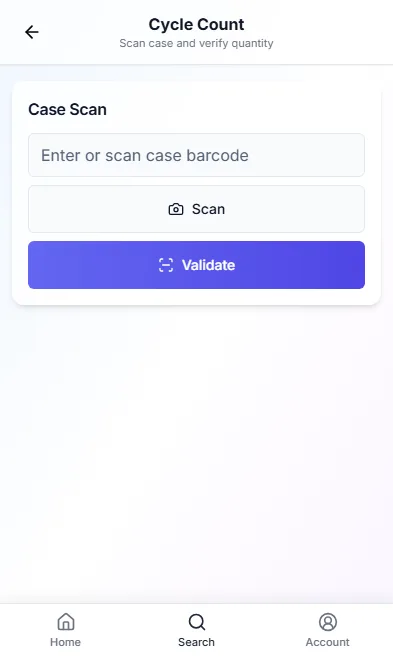
- Cycle count on desktop and handheld — verify without a full stock-take
- SKU conversion to reclassify stored inventory without manual journals
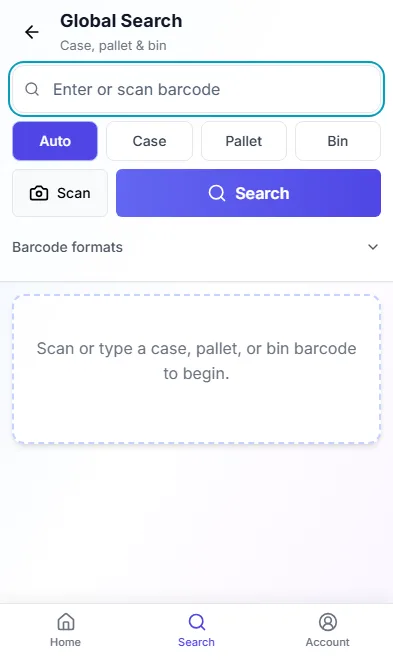
- Global barcode search across pallet, case, bin and SKU
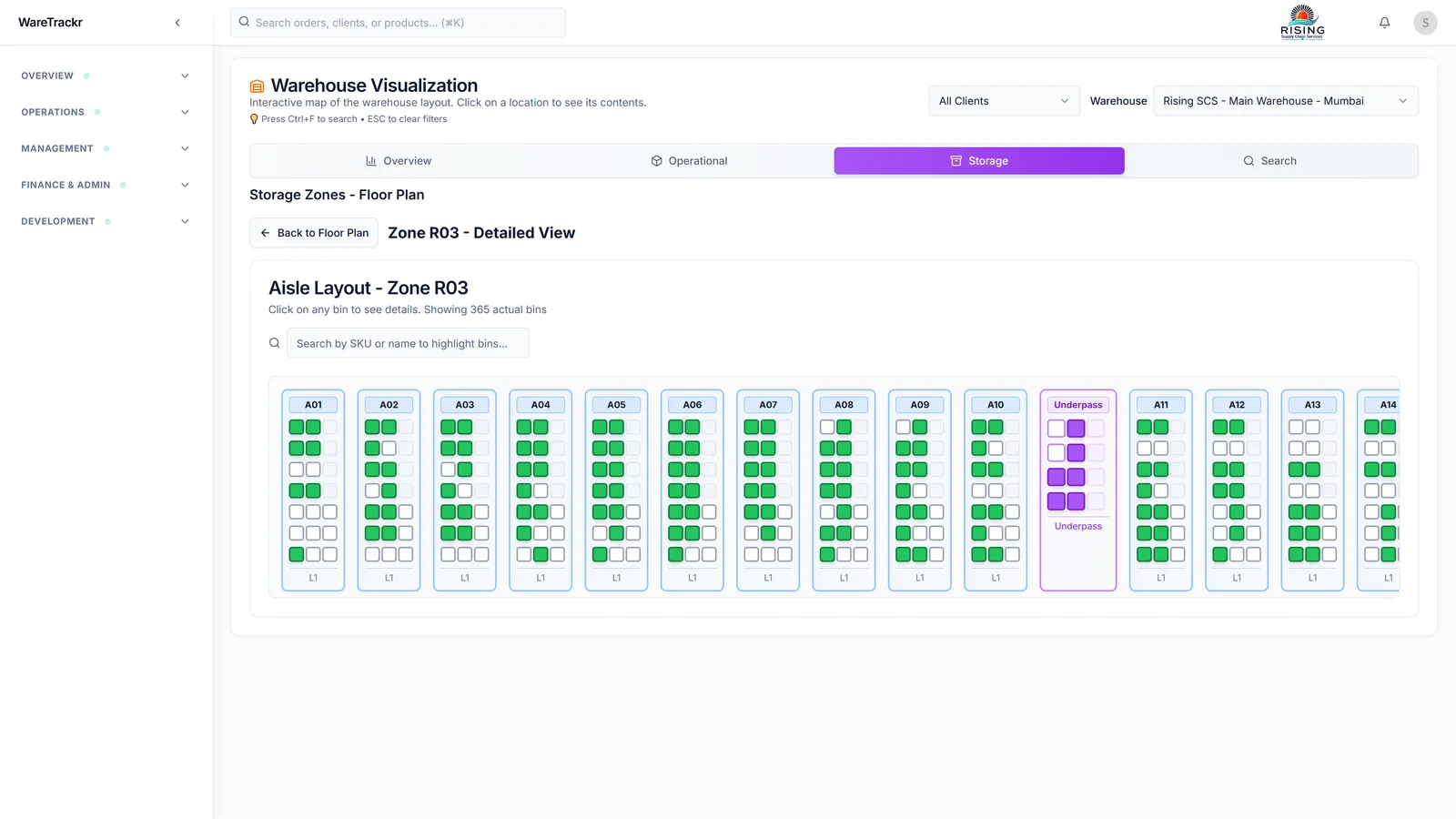
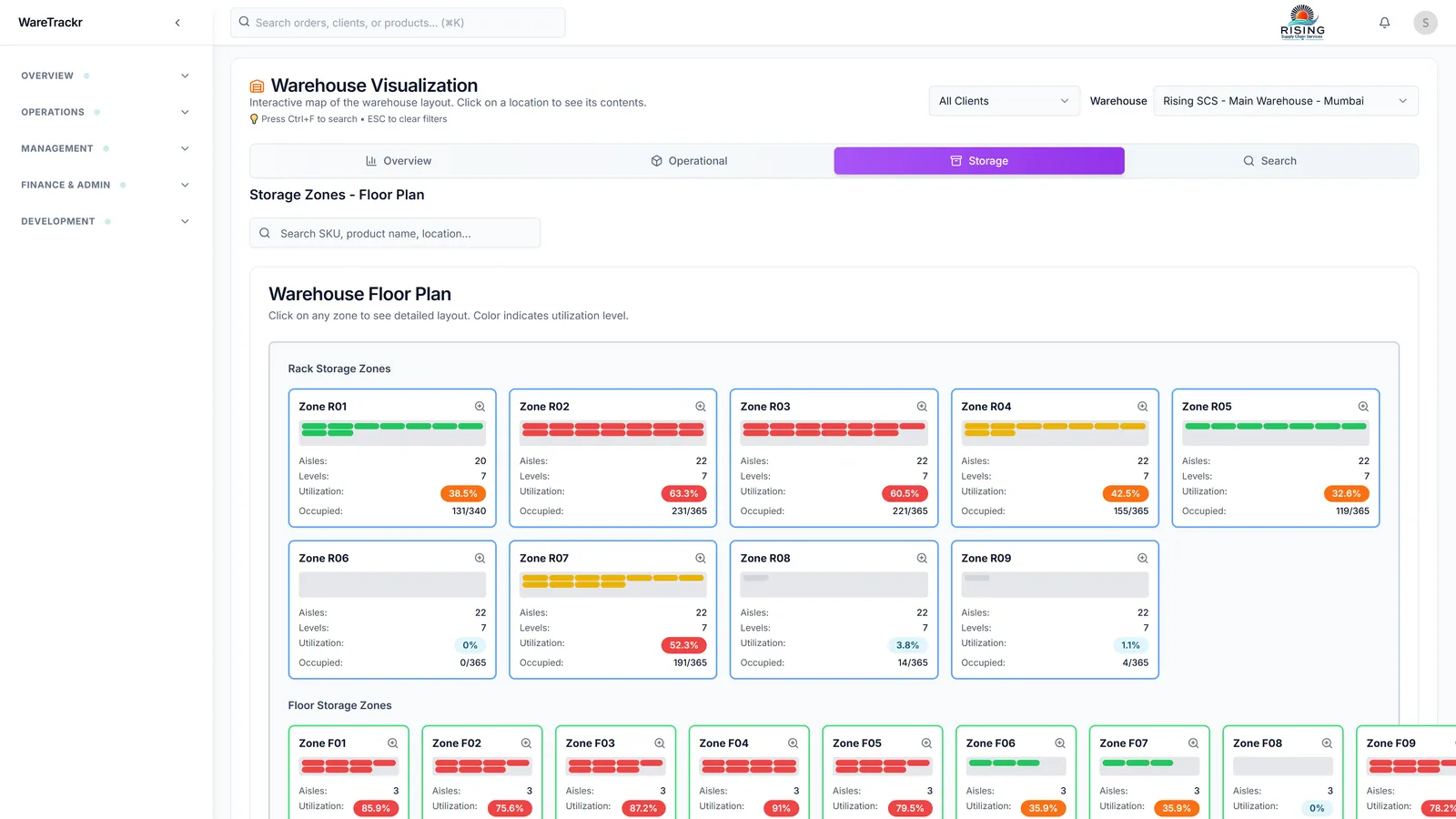
- Warehouse map with zone → aisle → bin drill-down and live bin counts
03Fulfillment & waves
Batch, pick with scan validation, pack, and hand off to dispatch.
- Order management with bulk import, filters and a status pipeline
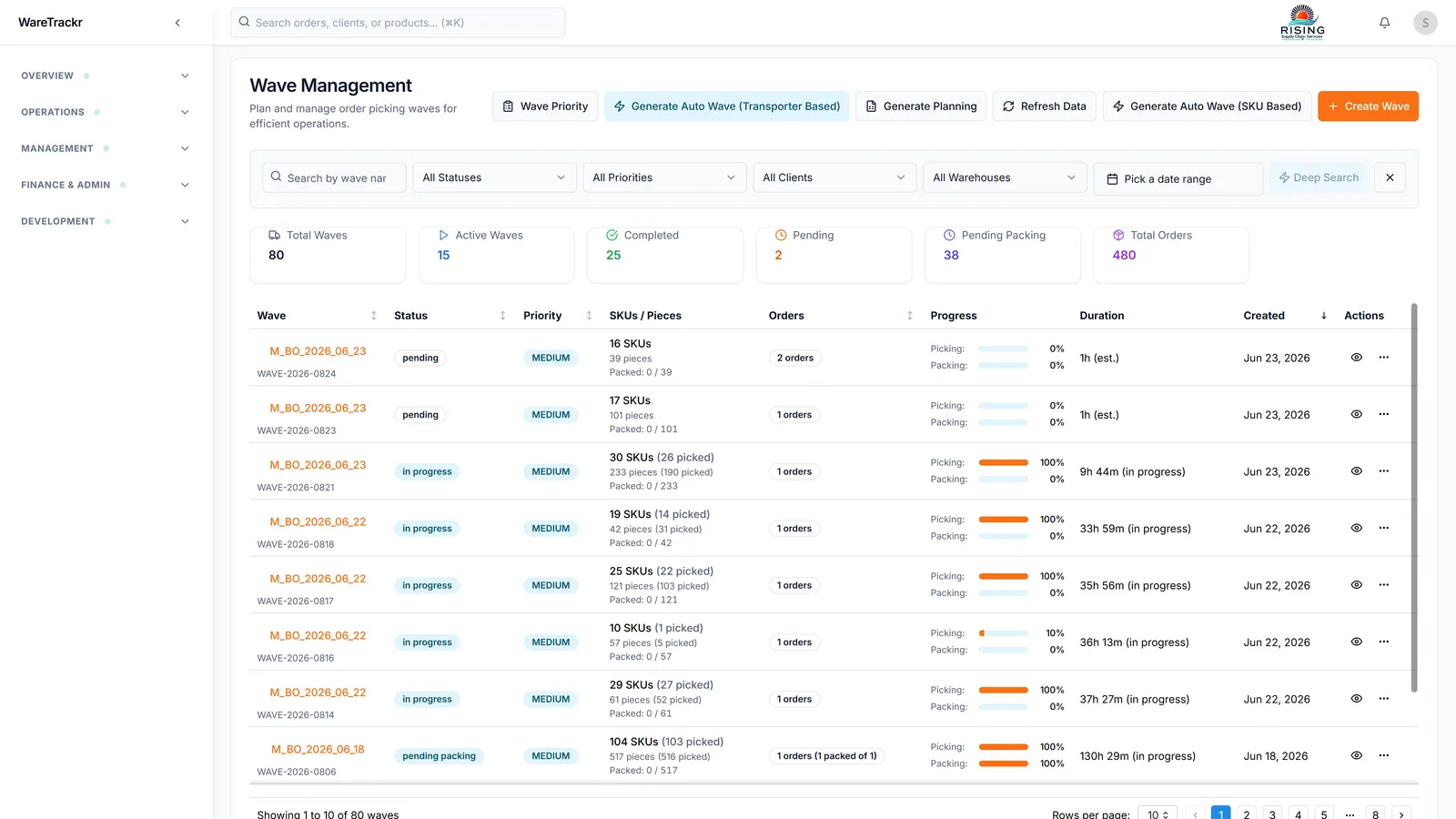
- Wave picking — batch orders to cut pick travel, assign pickers, track progress
- Pick lists with barcode validation on every scan
- Wave packing with label PDF and invoice export
- Dispatch scan at the dock — verify before the vehicle leaves
- Order journey — every status change stamped with time and user
04Kitting & value-added services
Run VAS work orders on the same platform as storage and picking.
- Work orders: component pick → assembly → packaging → putaway
- Dekitting for reverse operations and BOM changes
- Bill of materials drives component consumption and picking
- Kit picking and assembly on handheld scanners
- Kitting activity ties to client rate cards as billable VAS
The workflow
- 1Pick components
- 2Assemble
- 3Pack
- 4Putaway
05Returns — RMA & RTV
Customer returns and vendor returns, each with its own workflow.
- RMA: customer return orders with an inspection step before stock re-enters inventory
- Mobile RMA putaway with scan validation
- RTV: failed-QC items returned to vendor, separate from customer returns
- RTV pending queue, purchase-return challan PDF and weekly vendor emails
The workflow
- 1Return created
- 2Inspection
- 3Putaway to stock / RTV
06Shipping & carriers
AWB, labels and tracking inside the WMS — across seven carriers.
- Dispatch scan verification at the shipping dock
- AWB and transport updates per order in one screen
- Push to integrated carrier APIs — Delhivery, Blue Dart, DTDC, GATI, Xpressbees, Ekart, Mahindra Logistics
- Label PDF generation and invoice export from wave packing
- Bulk dispatch upload and shipment tracking sync
The workflow
- 1Dispatch scan
- 2AWB + label
- 3Carrier API
- 4Tracking sync
07Activity-based billing
Turn warehouse activity into invoices your clients can’t dispute.
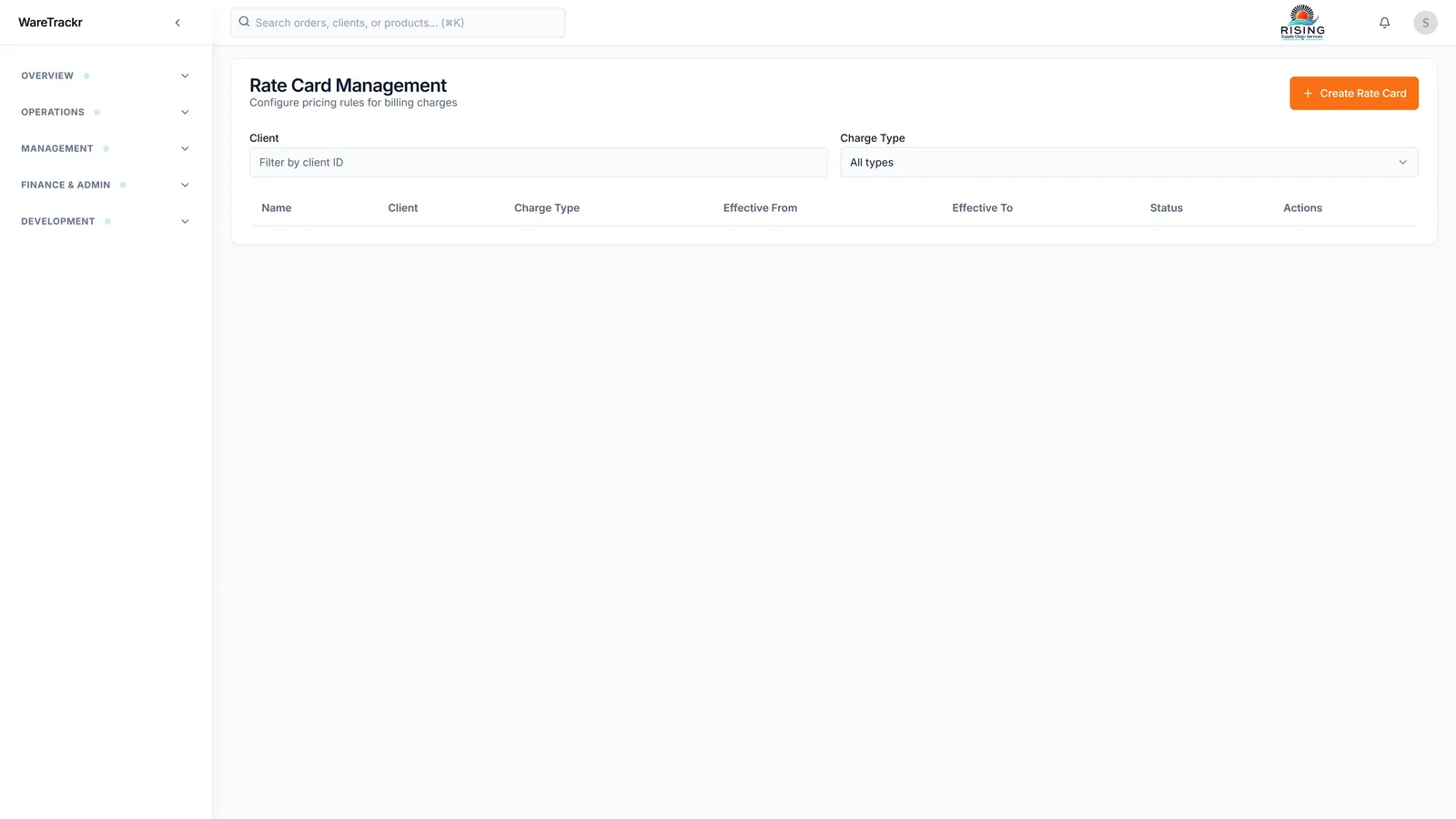
- Rate cards per client, warehouse and activity type, with preview
- Billing runs — preview the run before any invoice is generated
- Invoice lifecycle: create, edit, lock, payments, credit notes
- Snapshot billing reports for monthly client invoicing
- Storage, handling and VAS charges tied to real warehouse events
08Reporting, MIS & analytics
The weekly Excel MIS, generated and emailed for you.
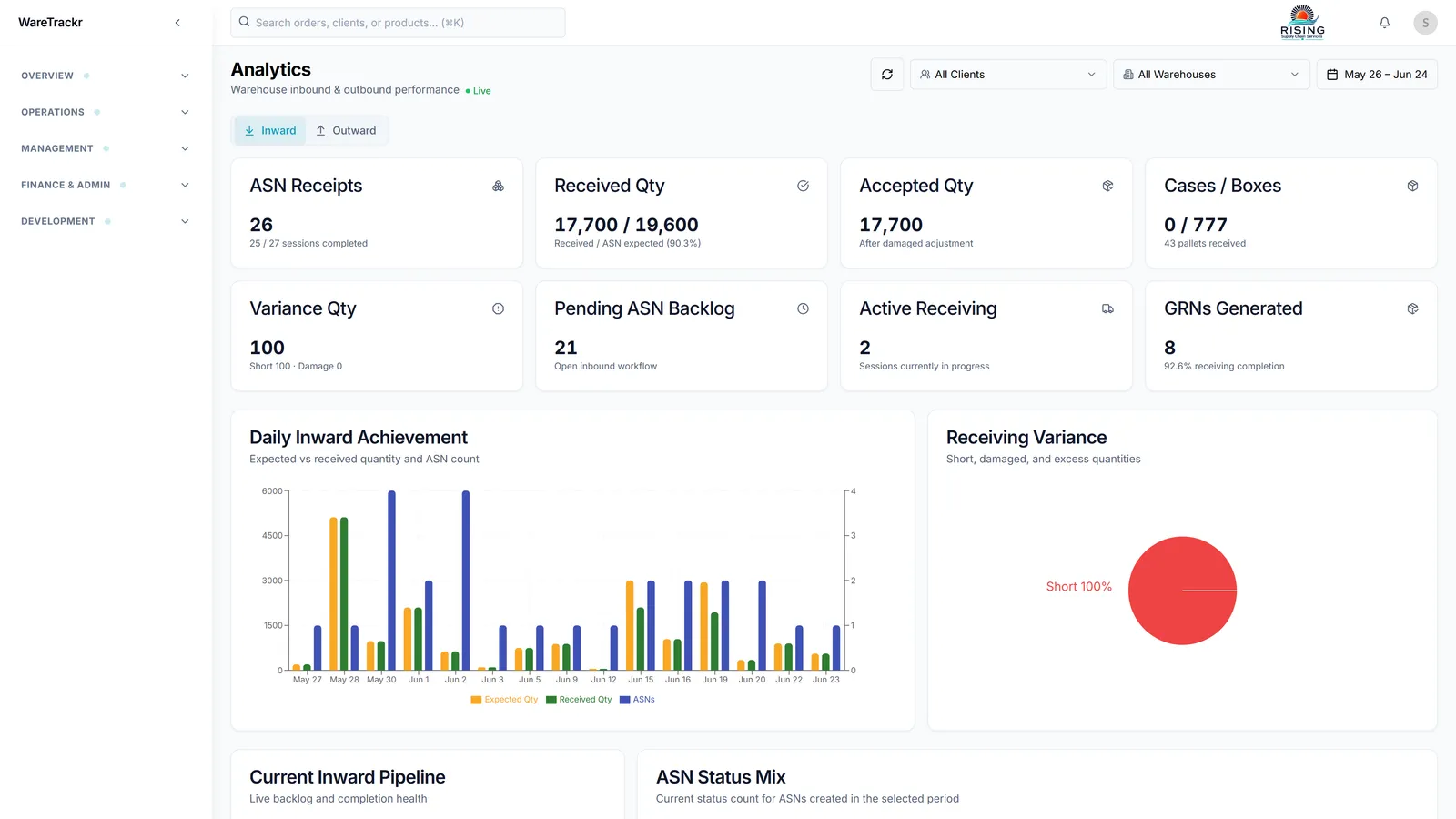
- Inward and outward analytics with warehouse and client filters
- Customer report suite — nine Excel generators (MIS, stock, dispatch, inward, outward, RTV, RTO and more)
- Scheduled reports — cron email delivery per client and warehouse
- Snapshot generator for monthly billing workbooks
- Configurable email notification mappings for every automated job
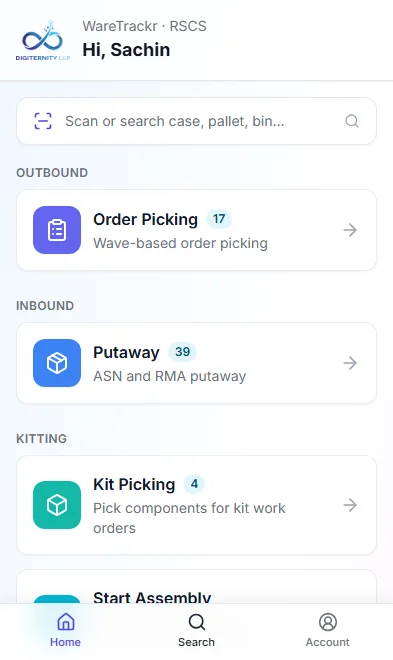
09WareTrackr Mobile
Barcode-driven floor execution on any Android scanner — no app store.
- Progressive web app — installs from a URL, same login and permissions as desktop
- Permission-filtered task hub — operators see only tasks they can run
- Putaway (ASN and RMA), wave order picking, kit picking, start / finish assembly
- Pallet and case internal transfers, cycle count, global search
- Large touch targets and guided step-by-step workflows for the warehouse floor
10Client self-service portal
The WMS your clients can log into — on live data, not batch exports.
- Client role with per-client data isolation — each client sees only their own records
- Dedicated dashboard: open orders, inbound ASNs and inventory at a glance
- Scoped views of orders, ASNs, products, customers, vendors and the warehouse map
- Self-service Excel reports — MIS, dispatch, stock, inward, outward
- Cuts the daily status calls and speeds up new-client onboarding
See it on your operation
Book a WareTrackr demo
A working session on your workflows — inbound, waves, the client portal, billing and the mobile app. No slideware.